Can You Smile In Your Passport Photo?

Last Update: December 27, 2025

Smiling incorrectly in a passport or visa photo is one of the leading causes of photo rejection. Most countries now use biometric facial recognition, which requires strict control over facial expressions.

Are You Allowed to Smile in Passport Photos?

Yes, but only a very small, natural smile is allowed in many countries.

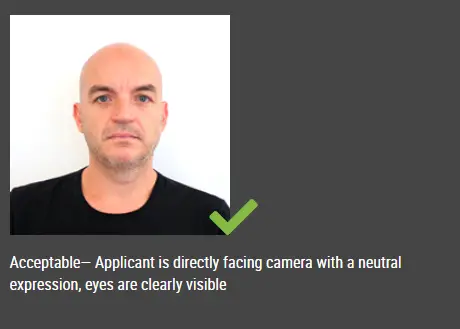
International biometric standards (ICAO 9303) require a neutral facial expression.
A slight closed-mouth smile is often accepted if it does not change facial geometry.

You must:

  • Look directly at the camera

  • Keep both eyes fully open

  • Keep your head straight

  • Keep your mouth closed or slightly parted

  • Avoid showing teeth

What Kind of Smile Is Accepted?

Allowed:

  • Subtle, natural smile

  • Lips gently closed

  • Relaxed facial muscles

  • No raised cheeks

  • No visible teeth

This preserves biometric measurement points used by border systems.
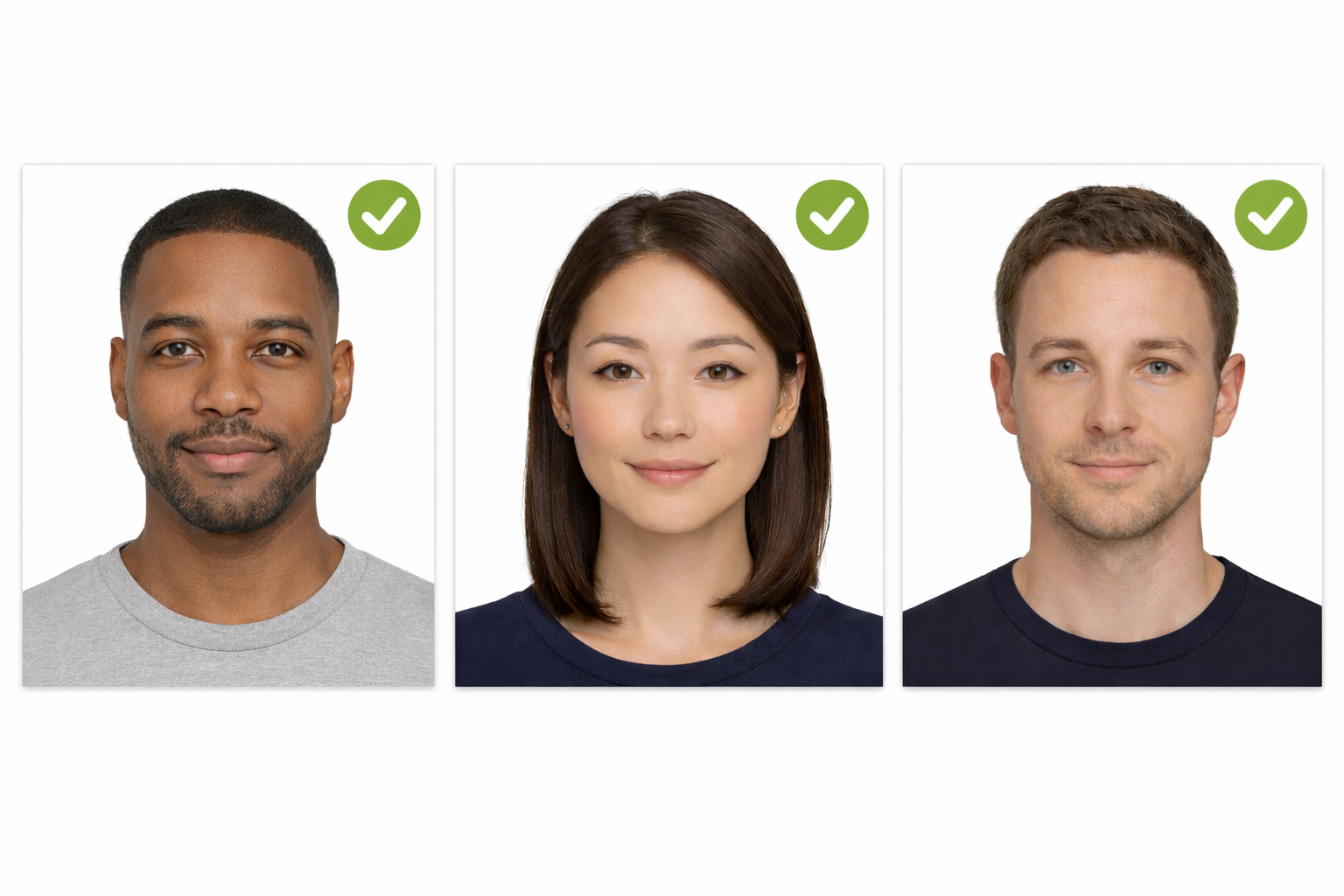
smile allowed for passport photo

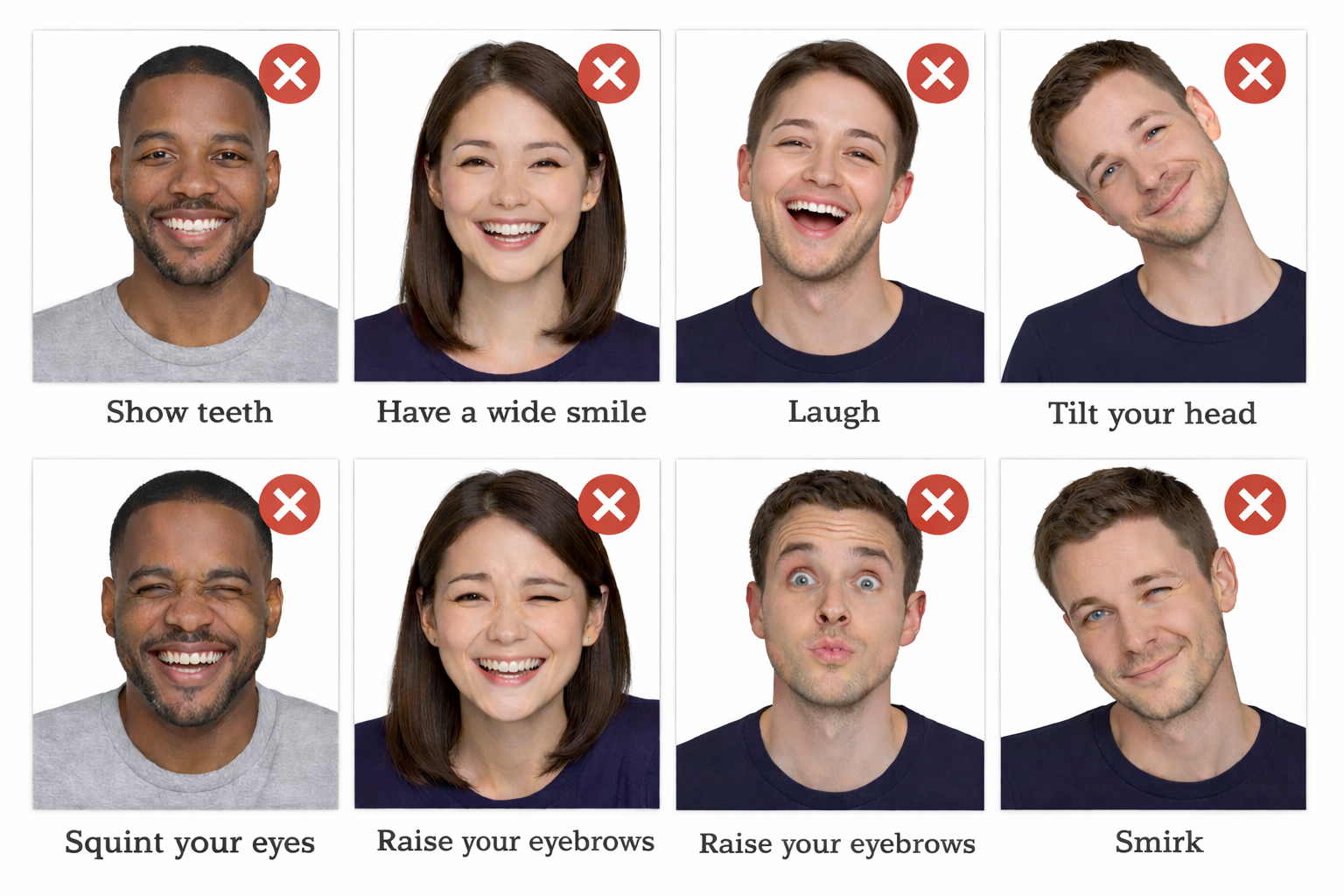
What Smiles Are NOT Accepted?

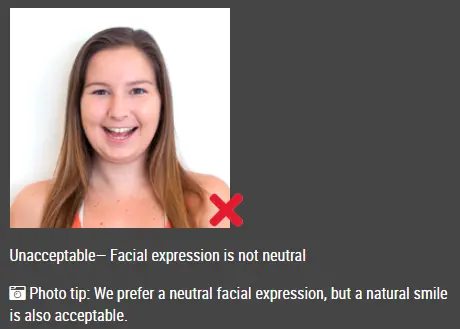
  • how teeth

  • Have a wide smile

  • Laugh

  • Squint your eyes

  • Raise your eyebrows

  • Smirk

  • Tilt your head

smiles showing teeth, raising eyebrows are not accepted

Global Passport & Visa Photo Requirements


Requirement      Rule
Expression Neutral or very slight smile
Teeth Not visible
Eyes Open and visible
Head position Straight
Background Plain white or light
Glasses Usually not allowed
Shadows Not allowed
Filters Not allowed

How to Make a Passport or Visa Photo at Home

Step 1 – Take Your Photo

  • Stand against a white wall

  • Use bright front lighting

  • Look straight at the camera

  • Maintain neutral expression

Step 2 – Use IDPhotoDIY

Upload your photo to IDPhotoDIY.com to:

  • Crop to passport sizes

  • Convert background to white

  • Align biometric face dimensions

  • download and print your photo at home, or have it printed at a local photo center

At https://www.idphotodiy.com/, we strive to make the process of obtaining passport and ID photos as easy and convenient as possible. Our online platform is user-friendly and our customer service team is always available to assist with any questions or concerns.

FAQ

 Can I smile with teeth in a passport photo?

No. Showing teeth is a common cause of rejection.

Will my passport be rejected if I smile?

Yes, if your smile alters facial geometry.

Can babies smile in passport photos?

Infants may have natural expressions, but eyes must be visible.


Click here to make passport / visa photos
Other passport pictures guides

How to take passport photo in 5 steps?


Step 1: Use a digital camera or a smartphone to take a photo

Find someone to take the photo for you and selfie photo is not acceptable for passport photo application. If you have a tripod, use it. A tripod will make it easier to keep the camera steady and level. The distance of the person to the camera should be around 1 meter.


Step 2: Find a venue with good lighting

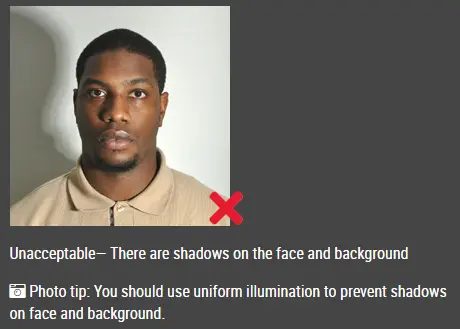
When taking photo, you should face the light, such as a nice bright window or the door. This can provide even lighting to avoid shadows on the face and background. The face must be evenly lit. There should be no shadows and glares on the face.

Note: No need to worry about the background as our online passport photo generator will automatically remove or change the background for you.

unacceptable passport photo


Step 3: Wear properly for your passport photo

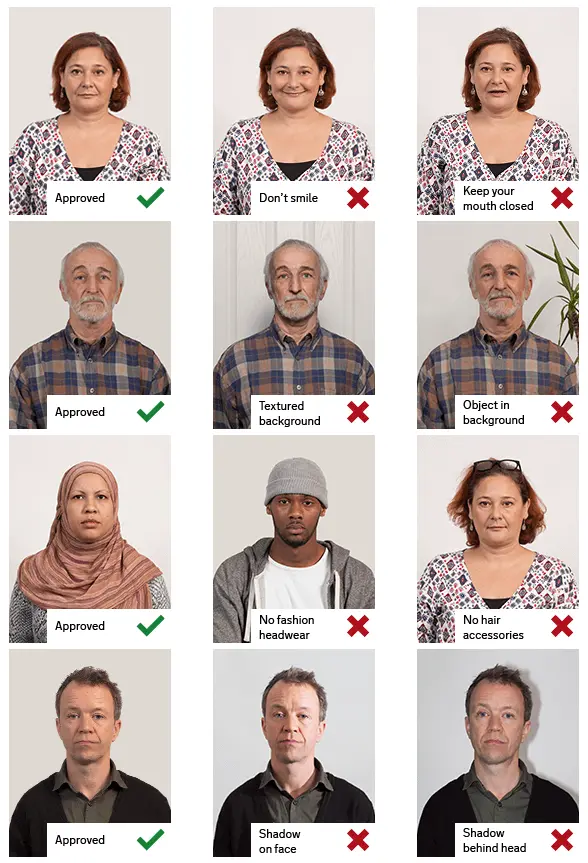
Do not wear uniforms. Wear regular street clothes in your photo.

Do not wear eyeglasses. If you wear glasses, sunglasses, or tinted glasses, take them off for your passport photo.

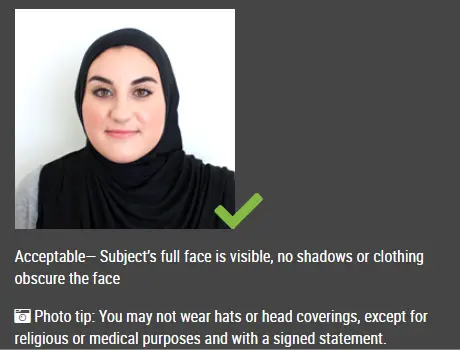
Your face must still be fully visible.  Don’t let your hair drape over your face and obscure your eyes. If you have very long bangs that cover your eyebrows, you should pin them back with bobby pins. It’s best if your ears show, as well, but that won’t cause your photo to be rejected.

No hats are allowed in passport photos unless it is religious headgear such as a headscarf or yarmulke that you wear every day.

acceptable passport photo

Step 4: Pose for a passport

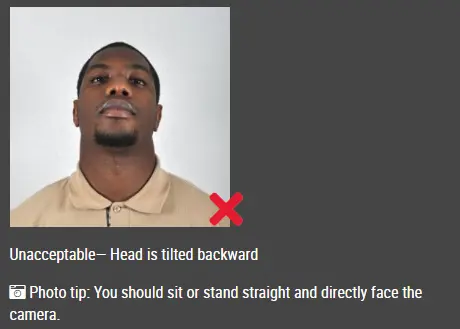
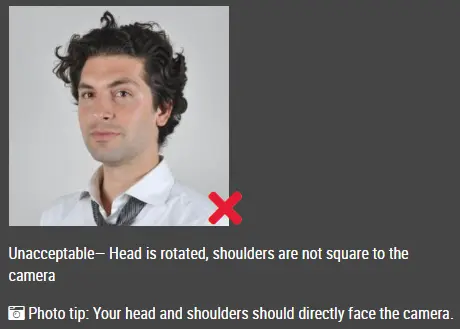
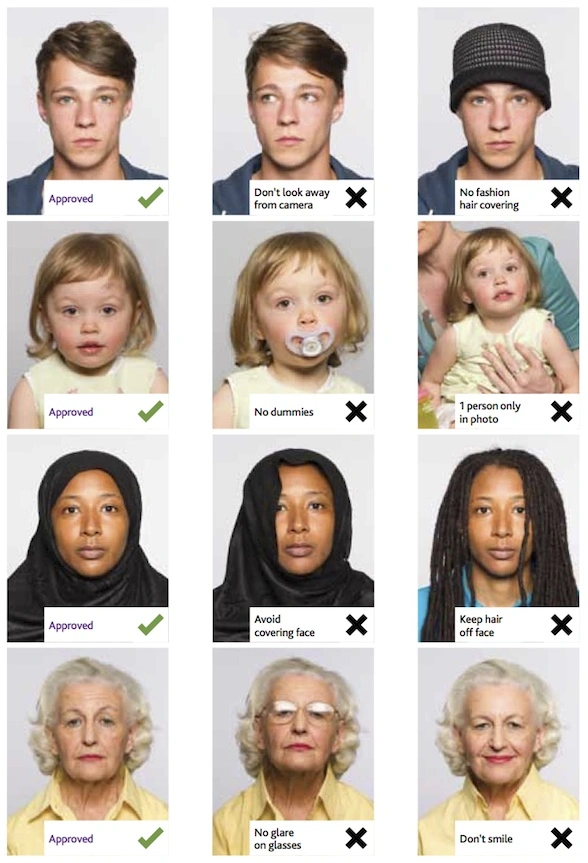
Look straight towards the camera with face straight on. Head should not be tilted or rotated.

Both ears showing or both edges of the face visible if hair covers the ears.

Shoulders should be visible, and there should be enough space around the head for cropping the photo.

Position the camera in the same height as the head.

unacceptable passport photo

unacceptable passport photo


Step 5: Have a neutral facial expression

You can smile in your passport photos, but the government prefers that you have a neutral facial expression.

Smiling or having your mouth open is usually not acceptable, especially under the new international passport rules.

acceptable passport photo

Unacceptable passport photo


Good and bad passport photo examples

Example of passport photos

Printed passport photos

Online Passport Photo Generator

Is this document useful?

This document is rated 4.8 / 5 - 6 Votes