Passport Photo Guidelines (2026): Complete Official Rules
Last Update: February 23, 2026
Getting your passport photo right the first time is essential. Even small mistakes, like poor lighting or the wrong background, can lead to rejection and delays. In 2026, passport photo rules are stricter than ever due to biometric verification systems used worldwide.
What Are the Standard Passport Photo Requirements?
While exact measurements vary slightly by country, most passport authorities follow similar standards:
-
Photo size:
-
35 x 45 mm across most of Europe and many other countries
-
Head positioning:
-
Your face should take up about 70–80% of the image
-
-
Color format:
-
Must be in full color (black and white is not accepted)
-
-
Image quality:
-
Sharp, high-resolution, and free from blur or pixelation
-
For online applications, additional file size and pixel requirements may apply.
Background Rules You Must Follow
A clean background is one of the most important factors for approval.
-
Plain white or light-colored background only
-
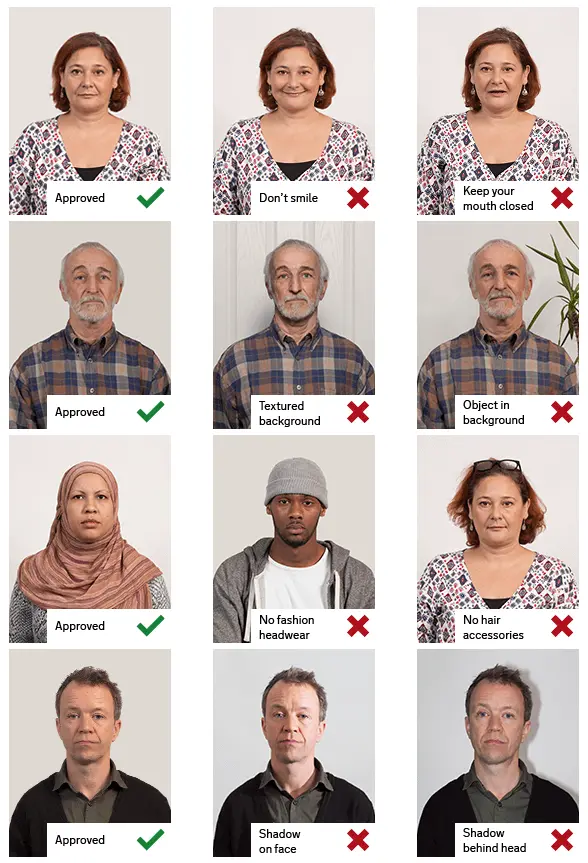
No patterns, textures, or objects
-
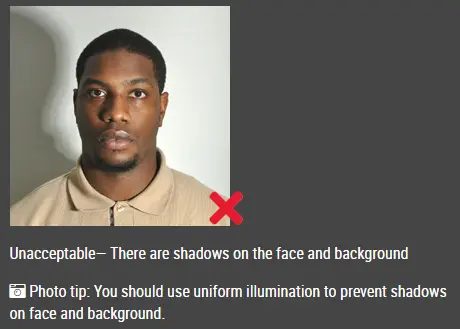
No shadows behind you
-
Even lighting across the entire background
A cluttered or uneven background is one of the top reasons photos get rejected.
Facial Expression and Pose Guidelines
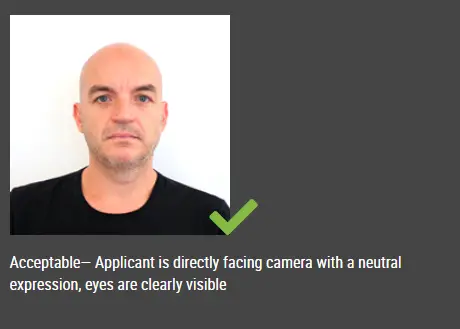
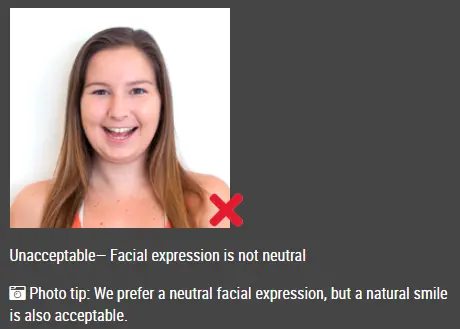
Biometric systems rely on consistent facial features, so your expression must be neutral.
-
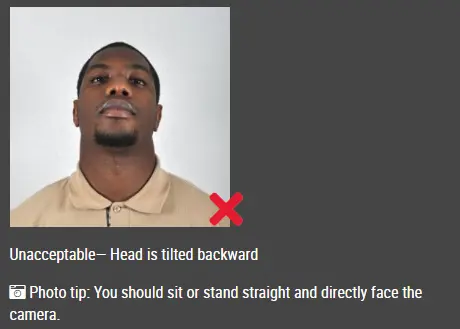
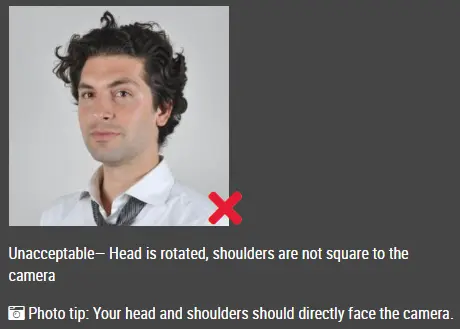
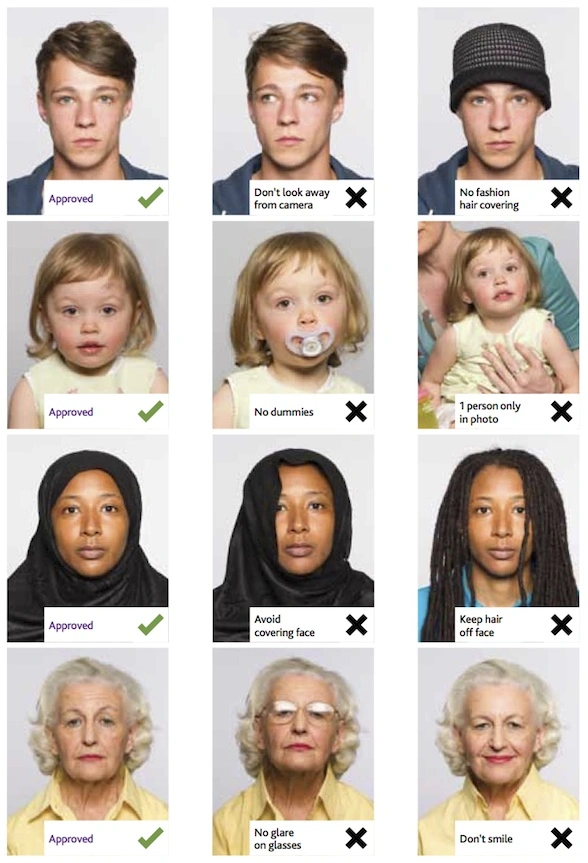
Look straight at the camera
-
Keep your head centered and upright
-
Eyes open and clearly visible
-
Mouth closed, no smiling
Even slight tilts or exaggerated expressions can cause issues during processing.
Lighting and Photo Quality Tips
Lighting plays a major role in whether your photo is accepted.
-
Avoid shadows, glare, or overexposure
-
No red-eye effect
-
Do not apply filters or editing tools
Natural daylight is usually the safest option when taking photos at home.
What to Wear for a Passport Photo
Clothing should be simple and neutral.
-
Wear everyday clothes (no uniforms unless required for religious reasons)
-
Avoid white tops that blend into the background
-
Stay away from camouflage or overly bright patterns
-
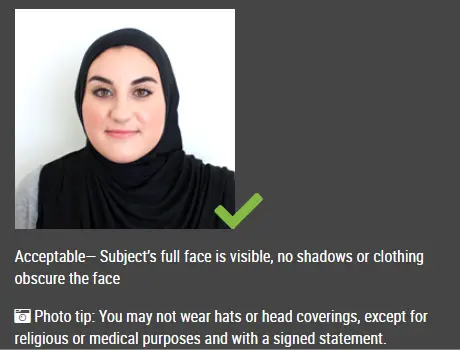
No hats or head coverings unless for religious or medical purposes
If you wear a head covering, your full face must still be visible.
Glasses and Accessories: What’s Allowed?
Many countries have tightened rules on eyewear.
-
No tinted lenses or sunglasses
-
No glare or reflections
Accessories such as headphones or large jewelry should also be avoided if they obscure your face.
Hair and Face Visibility Requirements
Your full facial features must be clearly visible.
-
No shadows cast across your face
-
Keep your face fully visible from chin to forehead
Facial hair is allowed, but your photo should reflect your current, everyday appearance.
Common Passport Photo Mistakes to Avoid
Many applications are delayed due to avoidable errors:
-
Smiling or non-neutral expression
-
Shadows on the face or background
-
Wearing glasses
-
Poor image quality
-
Non-white background
-
Use of filters or editing apps
Double-checking these details can save time and prevent resubmission.
How to Take a Passport Photo at Home
If you prefer a DIY approach, follow these steps:
-
Stand in front of a plain white wall
-
Use natural light from a window
-
Position the camera at eye level
-
Keep a neutral expression
-
Use a tripod or stable surface to avoid blur
Click here to make passport / visa photos